 ID to Wallet
MRZ Checker
MRZ checker for passports, ID cards and residence permits: paste the lines at the bottom of the document and see every field and check digit.
It runs in your browser. Nothing you type is sent anywhere.
What the MRZ is
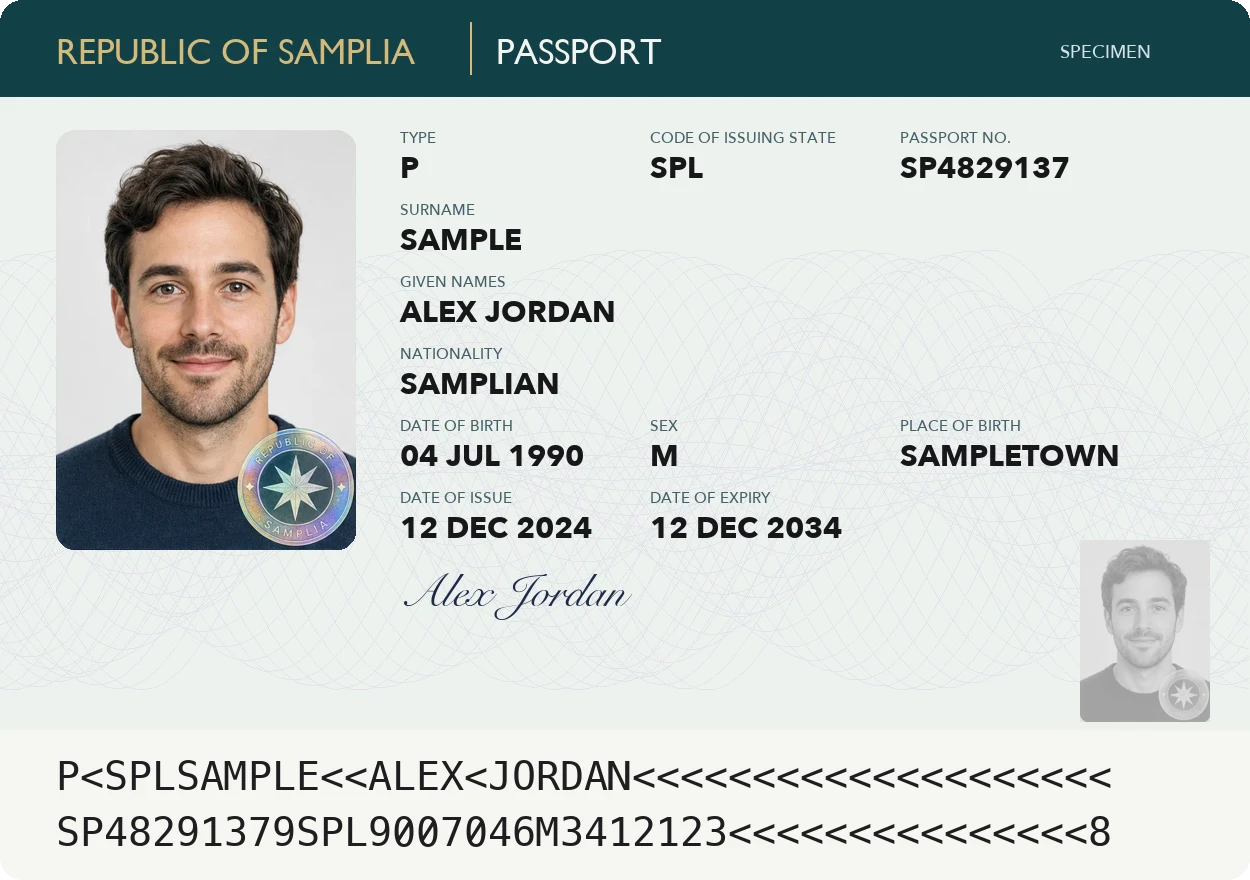
The machine-readable zone is the block of capital letters, numbers and < signs printed on passports, most ID cards and residence permits.
Its layout is set by ICAO Document 9303, so it works the same in every country.
- TD3: passports, 2 lines of 44 characters
- TD2: some ID cards and visas, 2 lines of 36
- TD1: credit-card-size ID cards and residence permits, 3 lines of 30
How check digits work
The document number, date of birth and expiry date each have a check digit, and a final one covers them all.
Each character gets a value: digits are themselves, A is 10 through Z at 35, and < is 0.
Multiply the values by 7, 3, 1, 7, 3, 1 and so on, add them up, and keep the last digit.
If a digit doesn't match, the line was usually copied or scanned wrongly. O and 0, or I and 1, are the usual mix-ups.
Never type it again
ID to Wallet reads the MRZ with your iPhone camera and fills in your name, number and dates for you.
Then it adds a personal copy of your document to Apple Wallet.