 ID to Wallet
How to Add a Romanian ID Card to Apple Wallet
Published · Reviewed · By the ID to Wallet team
Apple Wallet doesn't offer an official Romanian ID. Romania's official digital identity runs through the chip in the new electronic identity card (CEI) and government apps, and its EU Digital Identity Wallet is still being built.
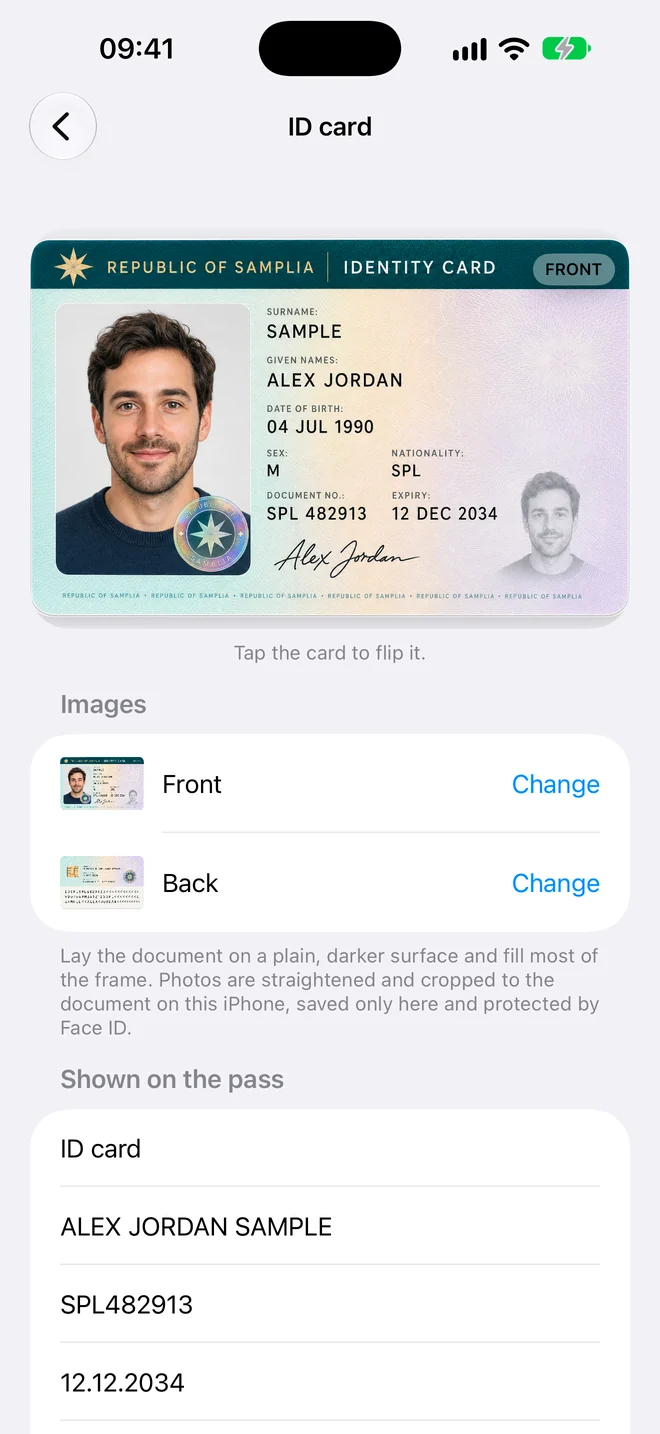
You can keep a personal copy of your card in Apple Wallet with ID to Wallet, our app. It reads the new CEI for you; with the older card you type the details. The copy isn't an identity document.
Romania's two ID cards
Romania started issuing the electronic identity card, the carte electronică de identitate (CEI), in March 2025. It's the size of a bank card and has a chip.
The older carte de identitate is larger. Cards already issued can be used until 3 August 2031 at the latest.
Official digital ID in Romania
The CEI's chip works with the Ministry of Internal Affairs' desktop app and a card reader, for logging in to public services and signing documents.
Romania is also building its EU Digital Identity Wallet, called RoEUDIW. EU rules require every member state to offer one by the end of 2026.
None of these is in Apple Wallet, and Apple lists no Romanian ID among the IDs it supports.
What ID to Wallet reads from a Romanian card
- New CEI: your name, card number, nationality, date of birth and expiry date are read from the three machine-readable lines.
- Older carte de identitate: its two machine-readable lines use a format the app doesn't read yet, so you type the details. The card itself is scanned and cropped the same way.
- Scan the front and the back of the card.
- Check the details, and give the card a name such as "Romanian ID".
- Tap Add to put the pass in Apple Wallet.
The app is in English.
What the copy can't do
Romanian law (OUG 97/2005) lists the documents that prove identity: the identity card, the electronic identity card, the simple identity card, the provisional identity card and the identity booklet. A photo or copy on your phone isn't one of them.
Keep carrying your card. Use the copy to read off your card number or expiry date when you fill in a form or a booking.
Questions
Can I add my buletin to Apple Wallet?
Not as an official ID. Apple Wallet doesn't support Romanian IDs. You can add a personal copy with an app such as ID to Wallet, which shows the card in Wallet but isn't accepted as ID.
Does it work with the new electronic identity card (CEI)?
Yes. ID to Wallet reads the CEI's three machine-readable lines, so your name, card number and dates fill in by themselves. With the older card you type them.
Can I travel in the EU with the copy?
No. Airlines and border checks need the physical card or your passport.
Sources
- PRADO: Romanian electronic identity card, travel version (ROU-BO-05002)
- PRADO: Romanian simple electronic identity card (ROU-BO-06001)
- PRADO: Romanian identity card, 2009 model (ROU-BO-02002)
- Capital.ro: until when the old identity cards stay valid
- G4Media: rollout of the electronic identity card
- Economedia: RoEUDIW, Romania's EU digital identity wallet
- Apple: IDs in Apple Wallet
Related
Your Romanian ID card in Apple Wallet
Scan it, check the details, add it to Wallet.